File Manager - File Explorer6.1.0
Continue to app
Free Version
Publisher Description
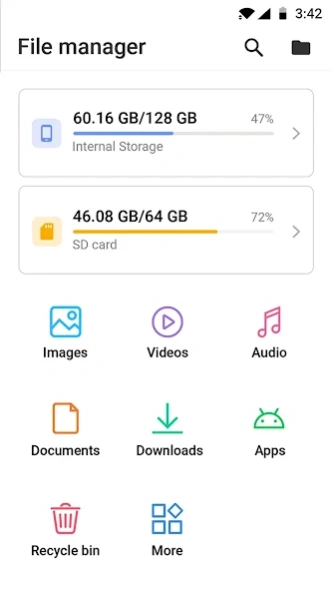


File Manager is a secure tool for easy and efficient file management.
File Explorer for Android – Make document management easier!Using File Explorer for Android, it has become easy to browse, organize, and manage your storage. Setting up your documents on your device is effortless!
Find out how this File Organizer app can assist you in maintaining order and documents while getting some of your work done with this Document File Manager App.
📄
File Explorer for Android features
📄
📁 Organize files and folders quickly;
📁 Access all documents, images, videos, and music in a single folder;
📁 Document File Manager App made for you;
📁 Quick access to personal folders;
📁 Recover documents that are deleted from the recycle bin;
📁 Change File Browser And Documents Manager theme;
📁 Move, delete, rename, and share without hassle;
📁 My File Manager Plus allows you to see the hidden documents on your device;
📁 Inbuilt media player and minimal file manager for Android.
Effortlessly Manage Documents with the Help of The Document File Manager App!
Our Document File Manager App helps you manage your documents the simple way! This File Browser And Documents Manager app can handle various types allowing you to view documents, images and even videos. You do not need to have any other application on your device because the built in media player and image viewer lets you preview all your documents.
Organize Files And Folders With Ease:
📂
Whether you are managing an SD card or an internal storage, this advanced File Organizer app app allows you to easily Organize Files and Folders. The File Explorer for Android enables you to move, sort, and categorize your folders without any trouble. Searching also becomes easy as it does not take long to locate the intended document.
Minimal File Manager for Android: Easy to Use
📁
This Minimal File Manager for Android has been designed for all users. For ease of access, we have combined all features with a simple interface. And with the File Organizer app option of switching between light and dark modes, keeping your folders organized has never been more easier.
Staying Organized has Never Been Easier With My File Manager Plus:
🗃️
With the help of My File Manager Plus, folder organization has become simpler. You can even manage your media collections and sort your documents without any hassle with this app.
The features of recycle bin is to recover deleted documents and adding documents to favorites allows you to have quick access to all the important items.
Get The Best File Browser And Documents Manager Today!
He or she can now manage their storage in an compact manner with the most advanced File Browser and Documents Manager. No matter how personal or work related a particular document is, File Explorer for Android makes it too easy.
Manage folders now from your phone and download Seamless File Explorer for Android today!
About File Manager - File Explorer
File Manager - File Explorer is a free app for Android published in the PIMS & Calendars list of apps, part of Business.
The company that develops File Manager - File Explorer is Firehawk. The latest version released by its developer is 6.1.0.
To install File Manager - File Explorer on your Android device, just click the green Continue To App button above to start the installation process. The app is listed on our website since 2025-03-04 and was downloaded 23 times. We have already checked if the download link is safe, however for your own protection we recommend that you scan the downloaded app with your antivirus. Your antivirus may detect the File Manager - File Explorer as malware as malware if the download link to filemanager.files.fileexplorer is broken.
The company that develops File Manager - File Explorer is Firehawk. The latest version released by its developer is 6.1.0.
To install File Manager - File Explorer on your Android device, just click the green Continue To App button above to start the installation process. The app is listed on our website since 2025-03-04 and was downloaded 23 times. We have already checked if the download link is safe, however for your own protection we recommend that you scan the downloaded app with your antivirus. Your antivirus may detect the File Manager - File Explorer as malware as malware if the download link to filemanager.files.fileexplorer is broken.
How to install File Manager - File Explorer on your Android device:
- Click on the Continue To App button on our website. This will redirect you to Google Play.
- Once the File Manager - File Explorer is shown in the Google Play listing of your Android device, you can start its download and installation. Tap on the Install button located below the search bar and to the right of the app icon.
- A pop-up window with the permissions required by File Manager - File Explorer will be shown. Click on Accept to continue the process.
- File Manager - File Explorer will be downloaded onto your device, displaying a progress. Once the download completes, the installation will start and you'll get a notification after the installation is finished.
Program Details
System requirements
Operating systems
Android
Download information
File size
N/A
Total downloads
23
Pricing
License model
Free
Price
Version History
Here you can find the changelog of File Manager - File Explorer since it was posted on our website on 2023-06-19. The latest version is 6.1.0 and it was updated on Soft112 on 10 October, 2026. See below the changes in each version:
